
Smart Home Voice Control for Indian Apartments Affordable Retrofit Guide
Walking into a dark flat with grocery bags in both hands and saying, “Switch on the living room lights,” feels small until it becomes part of daily life. That’s the real appeal of voice control. It removes tiny frictions from busy mornings, late nights, elder care, and shared family routines.
This guide ranks easy retrofit ideas from simplest to more planned upgrades. The focus is on rented flats, compact apartments, and homes where drilling, rewiring, or major changes aren’t practical. Smart home voice control in Indian apartments works best when it starts small, stays safe, and grows room by room.
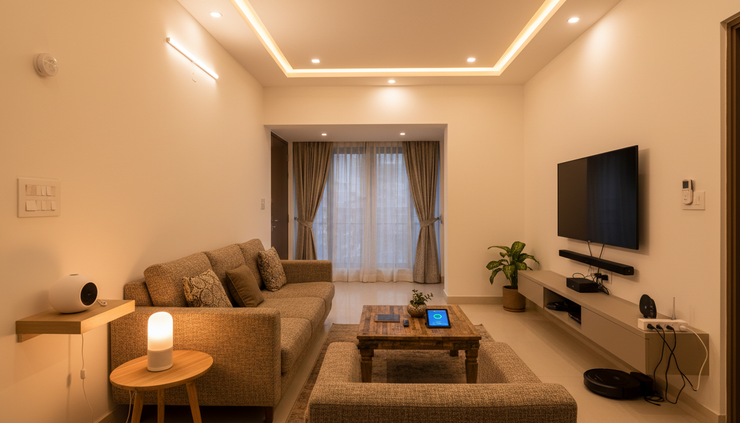
1. Start with one daily routine that annoys you
Don’t begin by trying to automate the whole flat. Pick one routine that happens every day.
Good starting points include:
Switching on the entryway light after coming home
Turning off the bedroom lamp at night
Starting the geyser plug before a shower, only if the load rating is suitable
Controlling a fan or lamp for an older family member
Setting a “good night” command for lights and selected plugs
This keeps the project cheap and easy to test. It also helps the family get used to voice commands without feeling like the home has suddenly become too complicated.
Practical tip: choose a command everyone can say naturally, like “turn on the hall light”. Avoid clever names that visitors or older adults may not remember.
2. Use plug-and-play smart plugs for the easiest retrofit
Smart plugs are usually the fastest way to add voice control in a rented flat. They sit between the wall socket and the appliance, so there’s no need to touch internal wiring.
They work well for:
Table lamps
Mosquito repellent devices
Decorative lights
Small appliances within the plug’s safe load limit
Chargers that don’t need to stay on all day
The big rule is safety. Check the appliance wattage, the plug rating, and the socket condition. High-load appliances need extra caution. If there’s heat, buzzing, loose fitting, or old wiring, don’t use a smart plug there.
Practical tip: in Indian apartments, sockets can be shared by multiple devices. Keep smart plugs visible and avoid overloading extension boards.
3. Add smart bulbs where lamps and ceiling lights are easy to change
Smart bulbs are great for bedrooms, study corners, pooja areas, balconies, and living rooms. They connect through Wi-Fi or Bluetooth, depending on the model, and can usually be controlled by voice once linked to a compatible assistant.
They’re renter-friendly because they don’t need permanent changes. Unscrew the old bulb, fit the smart bulb, connect it through its app, and assign it a clear room name.
Smart bulbs are useful for:
Dimming lights without getting up
Warm light in the evening
Brighter light for reading or working
Colour lighting for festivals or movie nights
Night lights for children or older adults
Practical tip: if family members still use wall switches, explain that the bulb needs power to stay “smart”. If someone switches it off at the wall, voice control won’t work until the switch is turned on again.

4. Choose a simple voice assistant or hub for gradual upgrades
A voice assistant or small hub becomes the control point for your setup. It listens for commands, connects to compatible devices, and lets you group actions into routines.
For a small flat, one compact assistant in the living room may be enough. For a larger apartment, a second unit in the bedroom can help, especially if older adults need voice access from bed.
Look for these basics:
Good microphone pickup
Local language comfort
Device compatibility
Easy mute control
It should hear commands over normal household noise.
Pick a setup that understands the language or accent your family uses most.
Check that your chosen bulbs, plugs, and switches work with the same ecosystem.
A physical mic-off button is useful for privacy.
Practical tip: if you’re unsure, buy one assistant and one smart plug first. Use them for a week before adding more devices.
5. Build routines that save time for busy families
Voice control becomes more useful when one command triggers a set of actions. These are often called routines, scenes, or automations.
Try simple routines like:
“Good morning” to turn on a lamp and switch off the night light
“Dinner time” to brighten the dining area
“Movie time” to dim the living room lights
“Good night” to switch off selected lights and plugs
“I’m leaving” to turn off non-essential devices
Keep routines predictable. If one command turns off too many things, someone in the family will get annoyed quickly.
Practical tip: label devices by room and purpose. “Bedroom lamp” works better than “lamp one”. Clear names prevent the assistant from controlling the wrong device.
6. Prioritise safety and accessibility for older adults
Voice control isn’t just about comfort. It can make daily life easier and safer for people with limited mobility, joint pain, poor balance, or low vision.
Useful ideas include:
A voice-controlled bedside lamp
A night light routine for bathroom trips
A fan or lamp that can be controlled without walking across the room
A simple emergency calling routine, if supported by the chosen setup
Motion-free control for people recovering from surgery or illness
For older adults, keep commands short and consistent. Write them on a small card near the bed or favourite chair. Avoid changing device names often.
Practical tip: don’t automate anything that could create risk if triggered by mistake. Focus first on lights, fans, and low-risk plugs.

7. Check compatibility before buying anything
The most common smart home mistake is buying devices that don’t talk to each other. Before ordering, check three things.
Device connection
Wi-Fi devices are common and easy to set up. Bluetooth devices may be simpler but can have shorter range. Some systems use a separate hub, which can help if you plan to add many devices later.
App and assistant support
Make sure the device supports your chosen voice assistant or hub. Also check whether every adult in the home can access controls from their phone if needed.
Electrical fit
Indian homes may have mixed socket types, older switchboards, or inverter-backed circuits. If a device connects to fixed wiring, get a qualified electrician.
Practical tip: keep a small note on your phone with device names, rooms, and app logins. Future troubleshooting becomes much easier.
8. Protect privacy from day one
Smart home privacy doesn’t need to be scary, but it does need a few sensible habits.
Start with these:
Change default passwords
Use strong Wi-Fi security
Keep device apps updated
Mute microphones when you want privacy
Review voice history settings if available
Avoid placing assistants in highly private spaces
Share access only with people who need it
If possible, create a separate guest Wi-Fi network for smart home devices. This keeps your phones and laptops apart from connected gadgets.
Practical tip: buy from sellers that provide clear app permissions, warranty support, and safety certification details. Very cheap devices can cost more later if they’re unreliable or poorly supported.
FAQ
How much should I automate in a rented flat?
Start with removable devices such as smart plugs, smart bulbs, and a compact voice assistant. Avoid fixed wiring unless the landlord allows it and an electrician installs it safely.
Do smart plugs work with heavy appliances?
Only if the plug is rated for that appliance’s load. Don’t guess. Check the appliance wattage and plug rating, and avoid using smart plugs with anything that heats heavily unless the device is clearly designed for it.
Will voice control work during an internet outage?
Some devices may lose voice control without the internet. Basic manual switches and app functions may vary by setup. Keep important lights and fans usable through normal switches too.
Is voice control useful in small apartments?
Yes. In compact flats, it’s especially handy for bedside lights, entryway lighting, balcony lamps, and routines that switch off multiple devices at once.

The best first step is a safe starter setup
If you want help planning a retrofit that suits your apartment layout, rental limits, and family routines, talk to Verb Interior about your smart home setup.
The top pick for most homes is simple: one voice assistant, one smart plug, and one smart bulb in the room you use most. Test that for a week. If it genuinely makes life easier, add the next room.
Start small, choose compatible devices, keep manual controls available, and put safety first. That’s how voice control becomes useful instead of stressful.


